
Contact with Seeulair

Sep 26, 2025


The L’AiR platform is about to celebrate its second anniversary since the revamp—thank you all for your continuous support! Many users have sparked creativity through L’AiR, building their own unique showrooms and riding the wave of digital marketing together.
To help everyone get started more easily, the L’AiR editorial team has compiled a collection of frequently asked questions from users, making it easier for you to quickly master the platform’s features. After reading, you’ll be ready to launch your very own L’AiR digital experience 🚀
Currently, the L’AiR platform offers services including L’AiR SPACE, THING 3D, TAG XR, as well as the newest AI Guide feature for L’AiR SPACE—providing comprehensive solutions to meet the digital marketing needs of both users and businesses.
L’AiR SPACE : Easily create your own online showroom, suitable for e-commerce, online exhibitions, immersive presentations, and more. Digitize your assets and preserve them permanently.
AI Guide : Seamlessly integrates L’AiR SPACE online showrooms with offline events, helping businesses boost efficiency, reduce manpower costs, and enhance digital marketing with greater interaction and virtual-physical integration.
THING 3D : Freely upload 3D models—whether for product showcases or personal creations—and enhance them with rendering tools that improve quality and fully convey detailed information.
TAG XR : Perfect for physical events and venue spaces. By scanning a QR code with the dedicated app, users can instantly access venue maps, navigation, and exhibit details, creating a more interactive experience.
L’AiR looks forward to exploring more possibilities where creativity meets digital technology, adding value to your ideas and brand.

L’AiR’s intuitive interface lets users launch their digital marketing journey with ease!

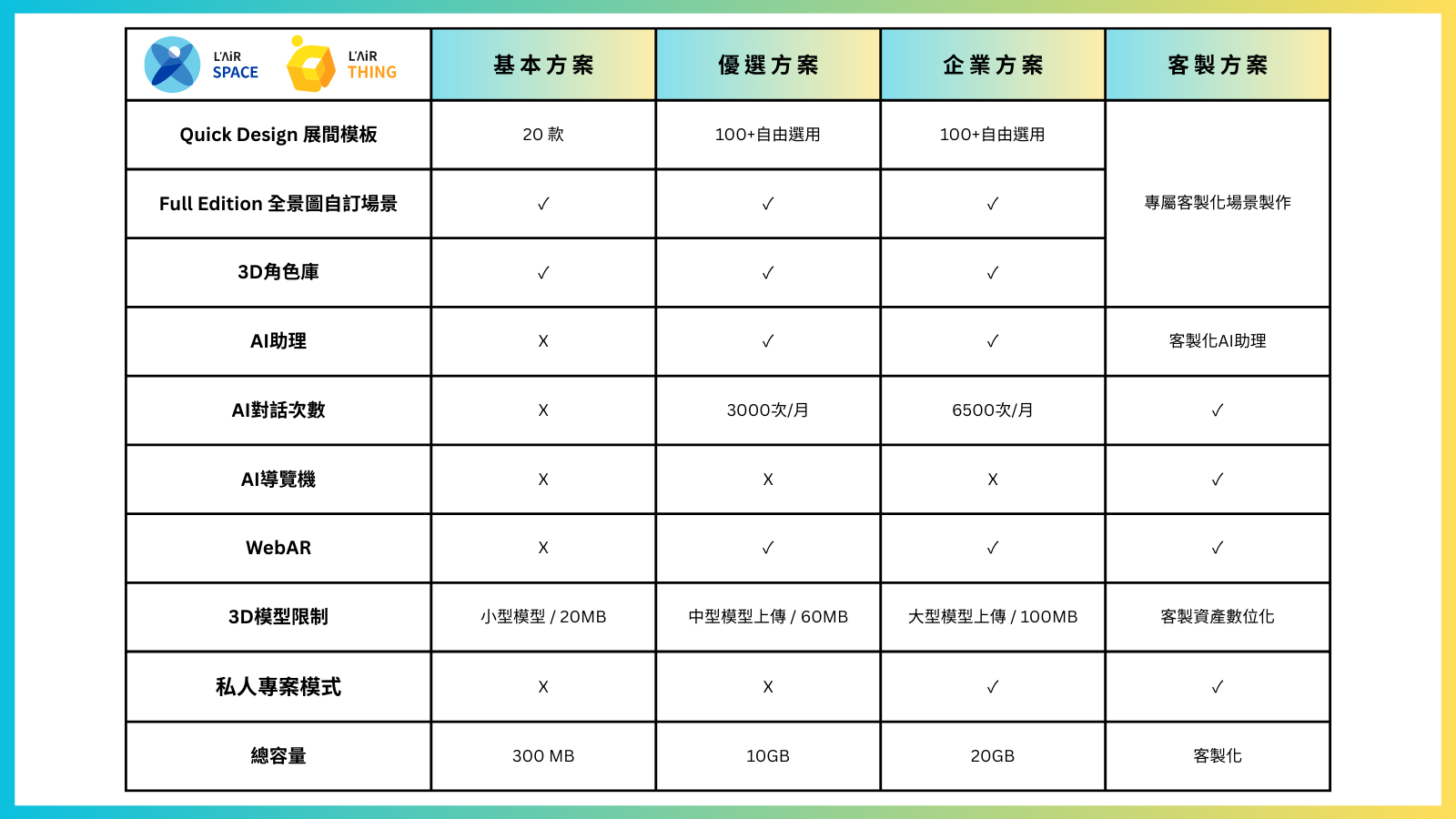
Sign up now and immediately enjoy our “Basic Plan”—completely free forever—allowing you to explore our services without any pressure and easily start your creative journey.
The free plan offers a wealth of content, including 20 beautifully designed 3D scene templates to help you get started quickly. You can also unleash your creativity by uploading your own panoramic images and 3D models, combined with our 3D character library to make your scenes more vivid and full of storytelling. Even with the free plan, you get 300MB of total storage, enough to save multiple small projects and fully showcase your creativity.
Whether you’re a creator trying out new tools for the first time or an enthusiast eager to explore the virtual world, our Basic Plan is the perfect starting point. Sign up now and unlock unlimited possibilities!
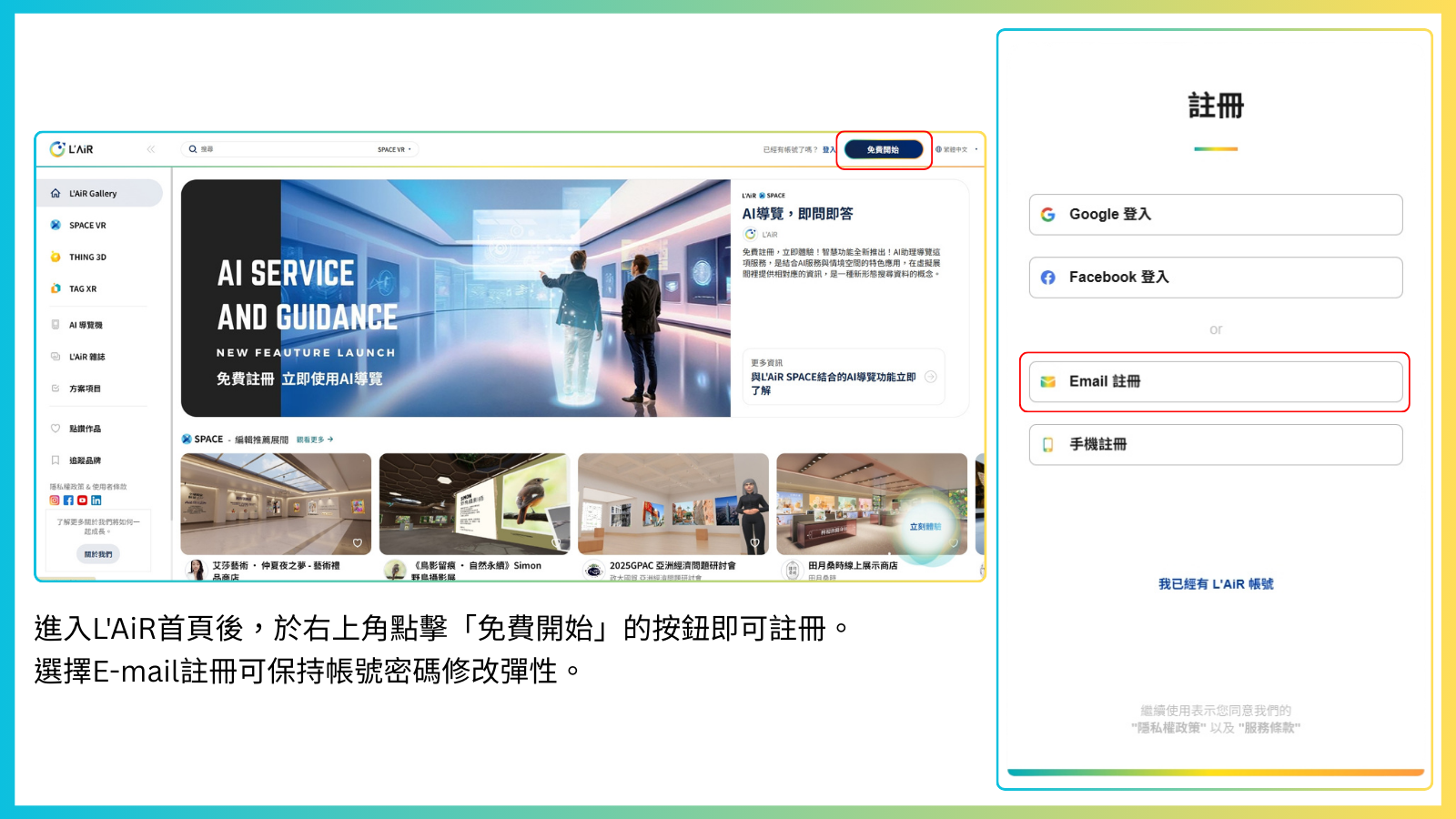
If you registered using a third-party account (such as Google or Facebook), you won’t be able to change your password. We recommend signing up with an email account to maintain full flexibility in managing your account.
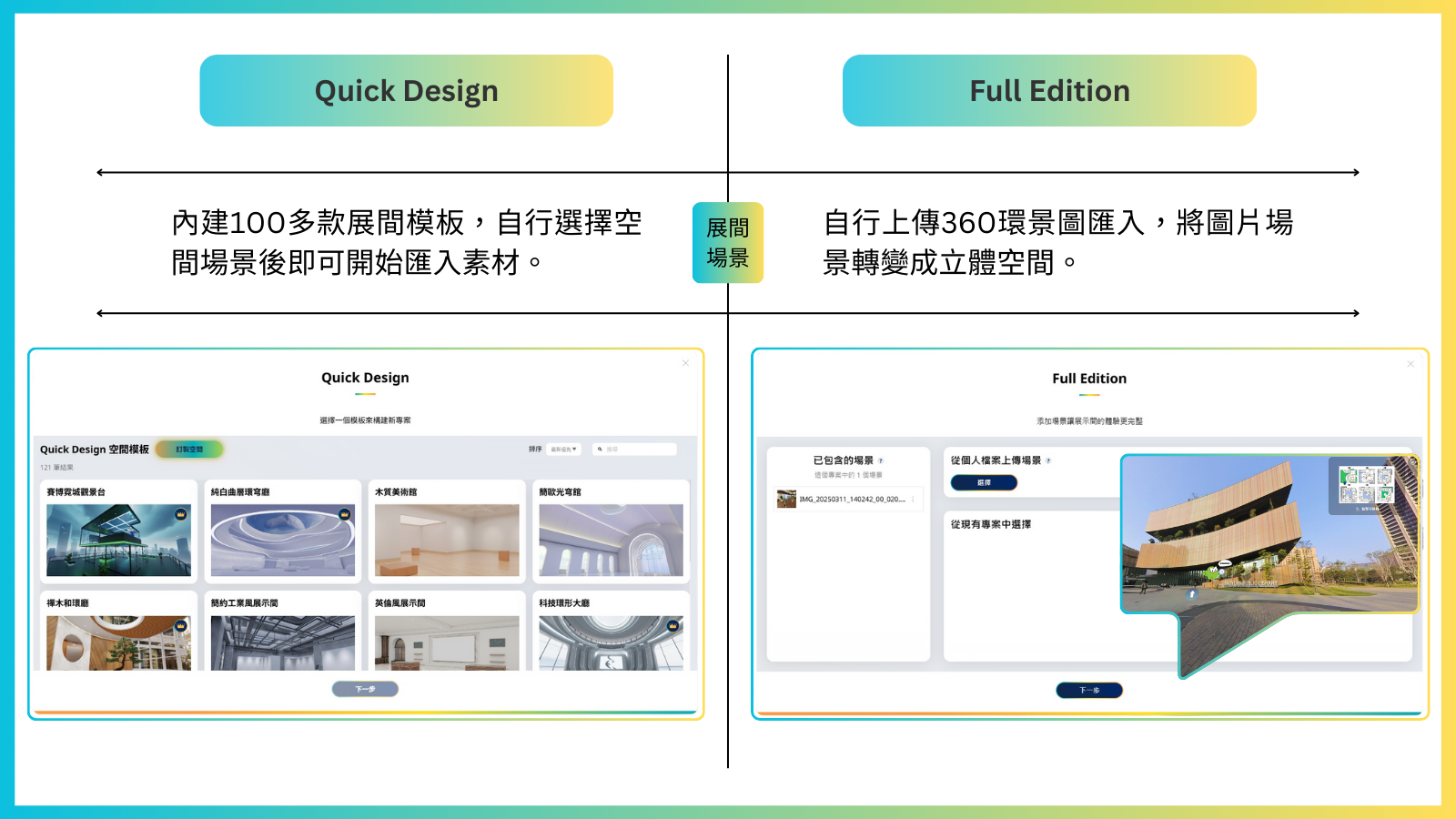
Quick Design : Offers over 100 built-in space style templates, allowing creators to quickly select and apply a design to start setting up their showroom immediately.
Full Edition : Supports 360° panoramic mode, enabling users to upload compliant panoramic images, with each image forming a fully 3D space.
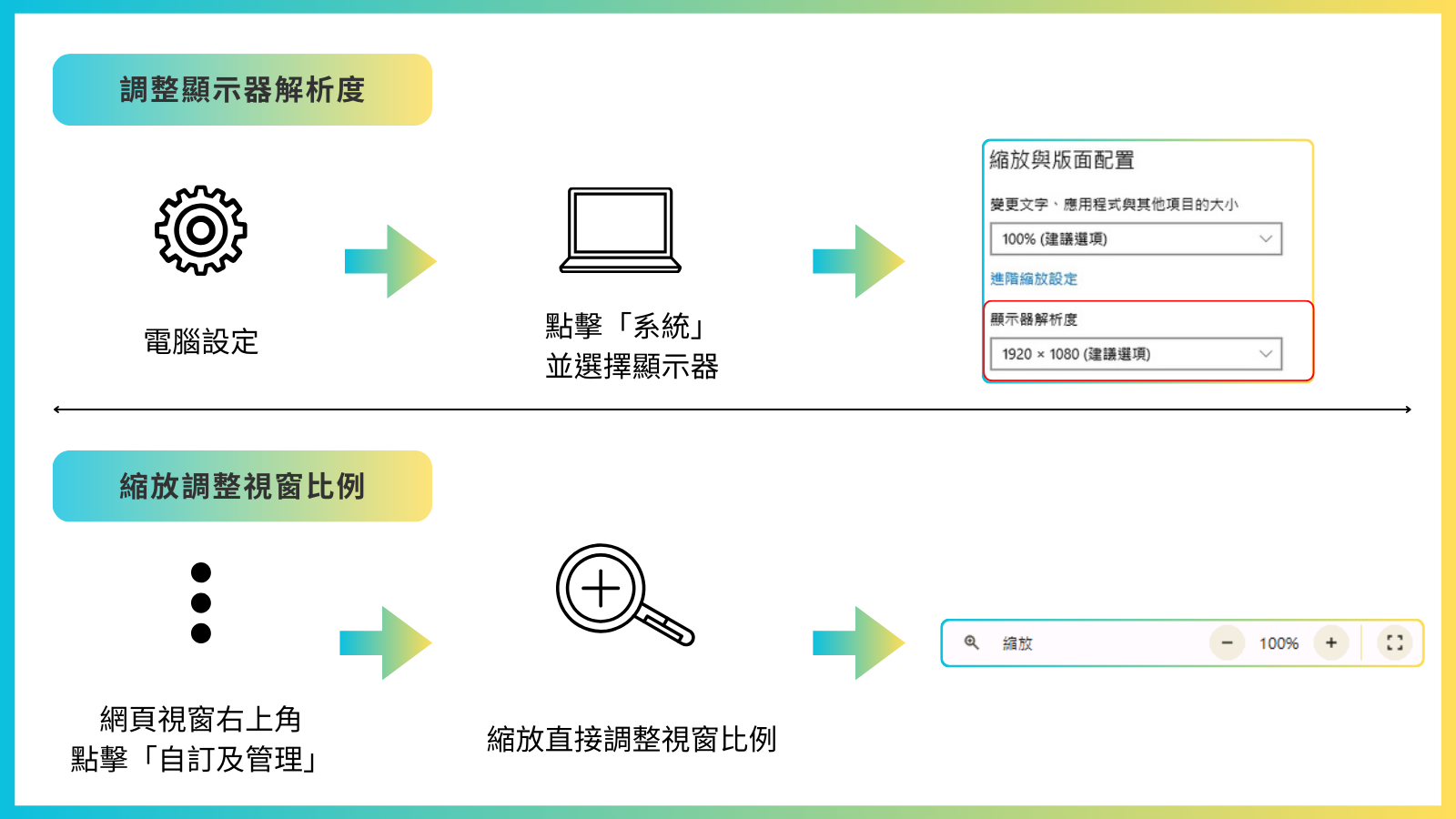
To get the full experience, we recommend setting your display resolution to 1920×1080. You can adjust this through your computer’s built-in Settings → Display Resolution, or by resizing the window directly to fit the screen. (Adjust window size, take screenshots)
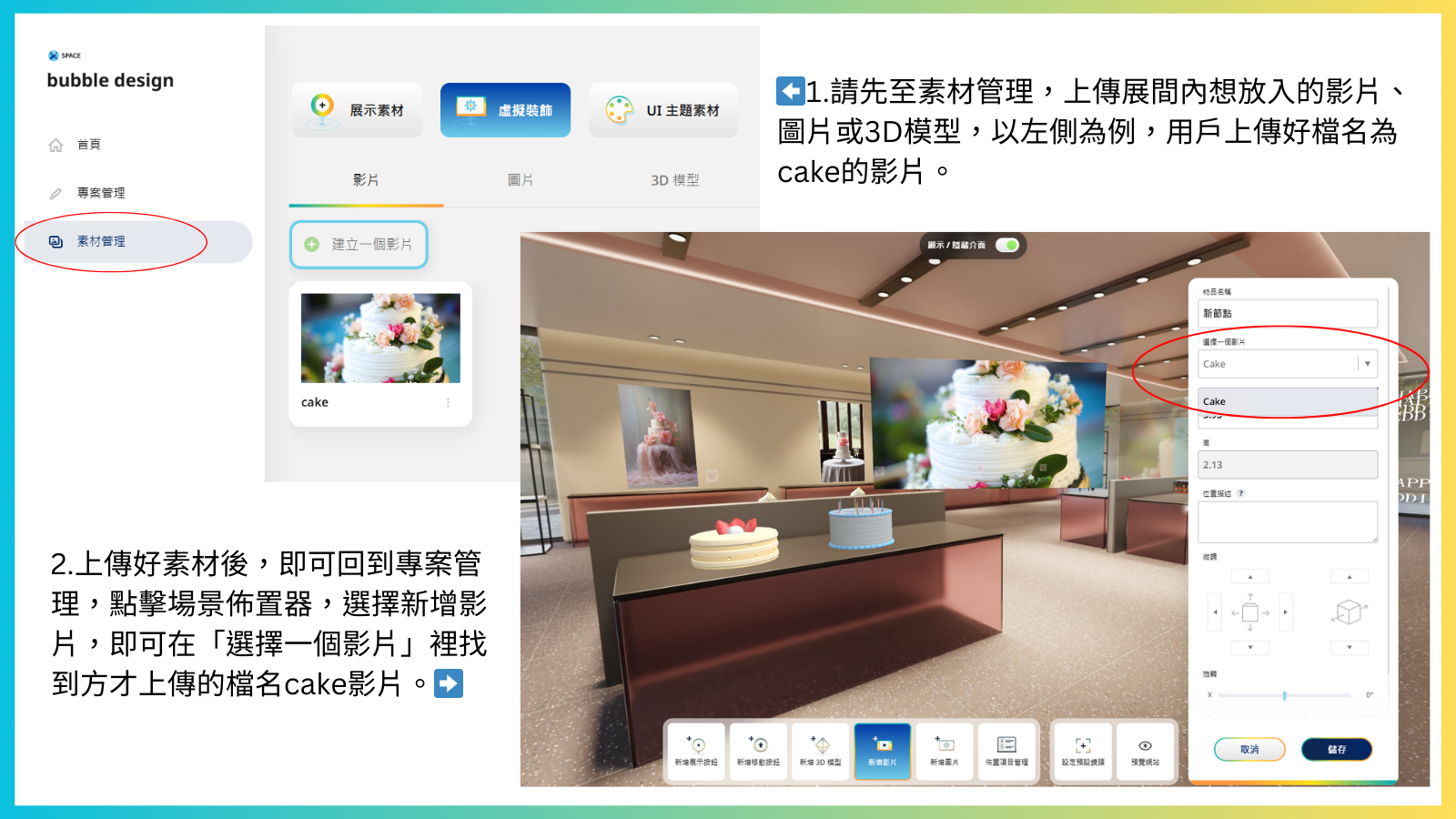
Many users try to add a video directly after entering the L’AiR SPACE display install, only to find that they cannot select any videos.
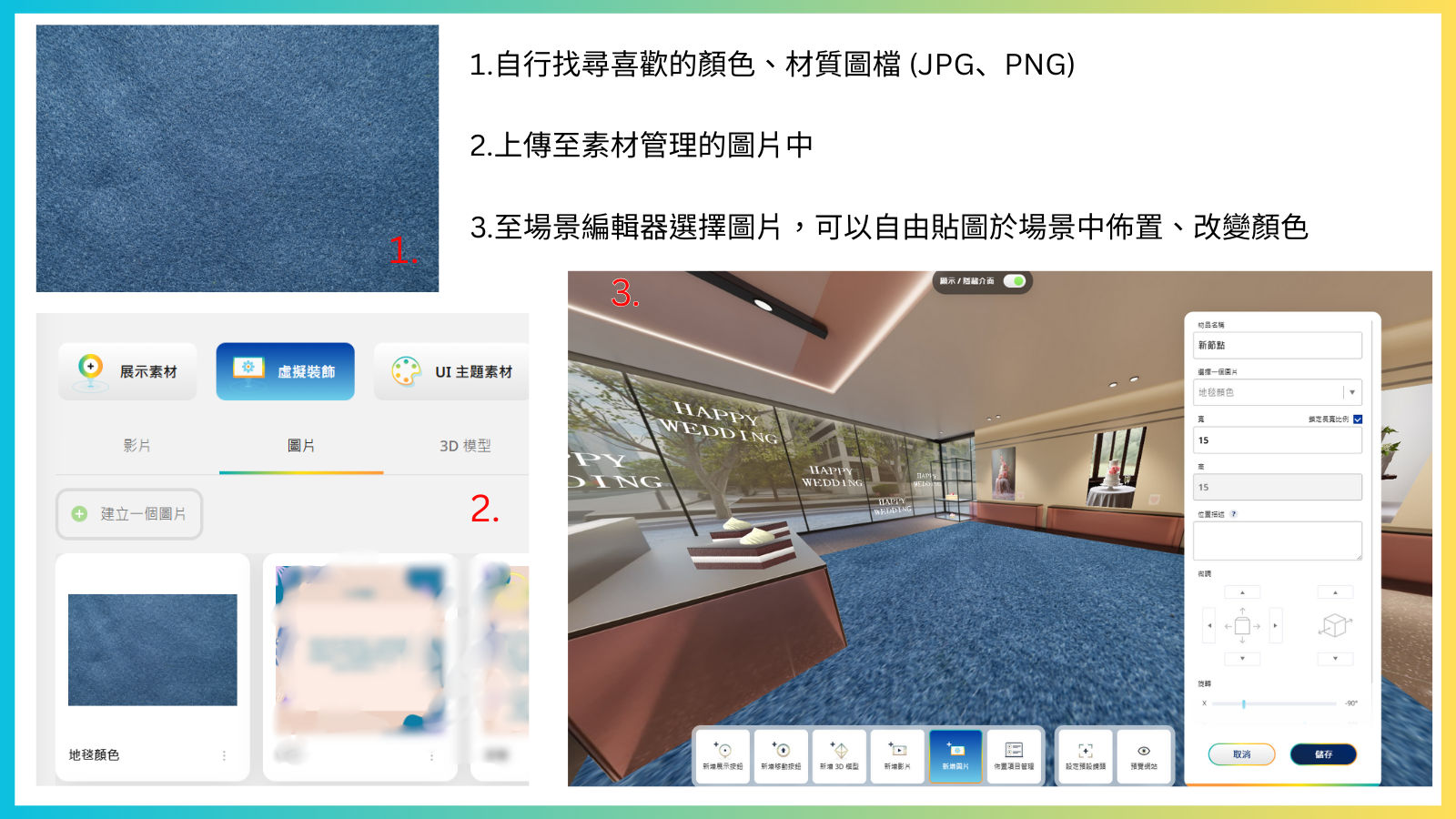
Before editing your showroom in the scene editor, be sure to go to “Content Organize” and click “Virtual Decorations” to upload the videos, images, and 3D model files you want to use in your showroom. Once uploaded, return to the display install to select your uploaded assets.
To ensure smooth performance in your showroom, L’AiR SPACE limits individual video files to under 10MB. If your video is longer, we recommend uploading a highlight clip to the video screen in your 3D space, and uploading the full video separately to YouTube.
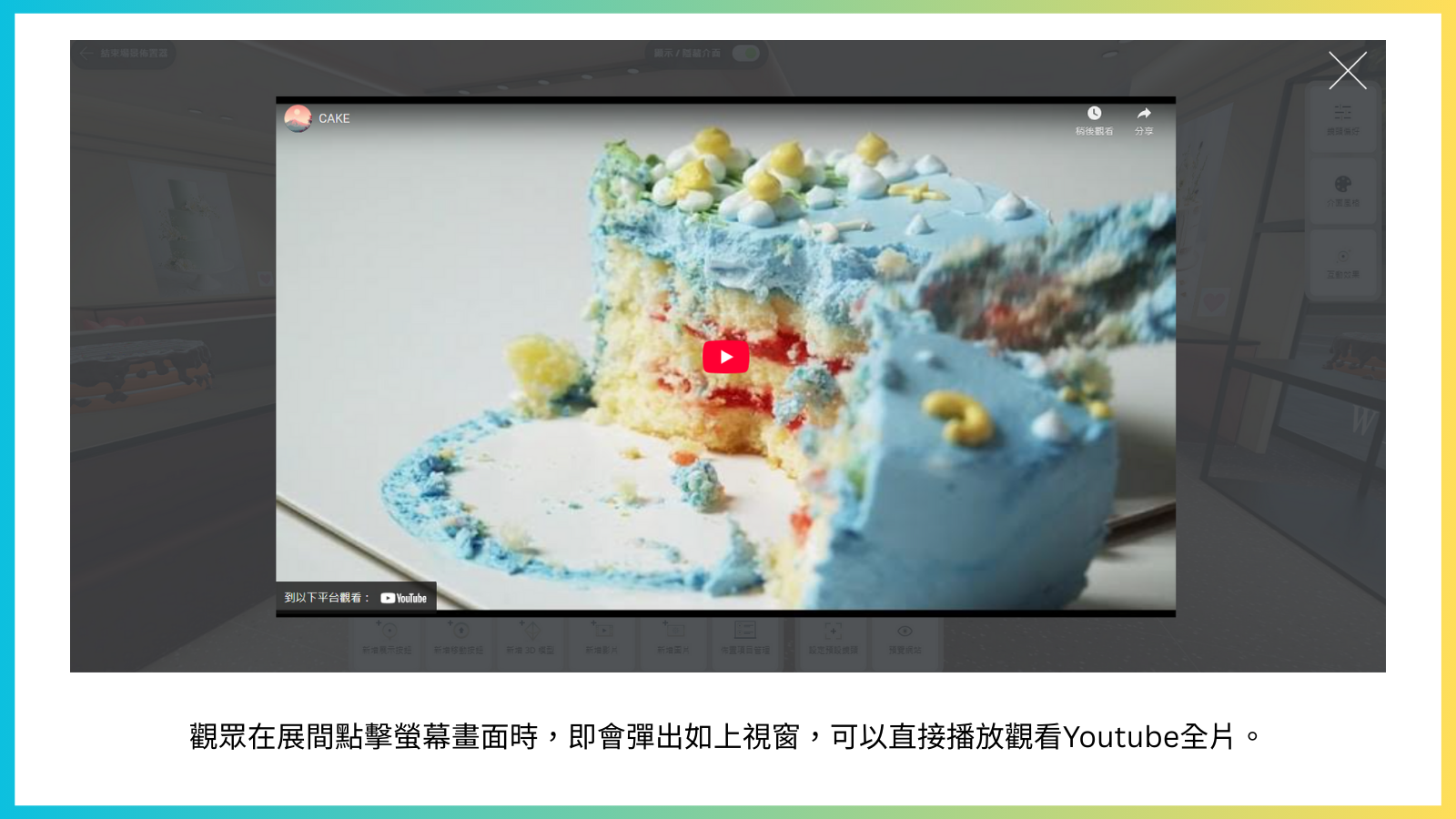
L’AiR supports YouTube integration. Simply add the video link to your “Video Collections”, and under the left-hand menu, select “Show Collections” for the “When click the Video Monitor” option. This way, viewers can watch the highlight clip in your showroom and click the screen to view the full video with original audio.
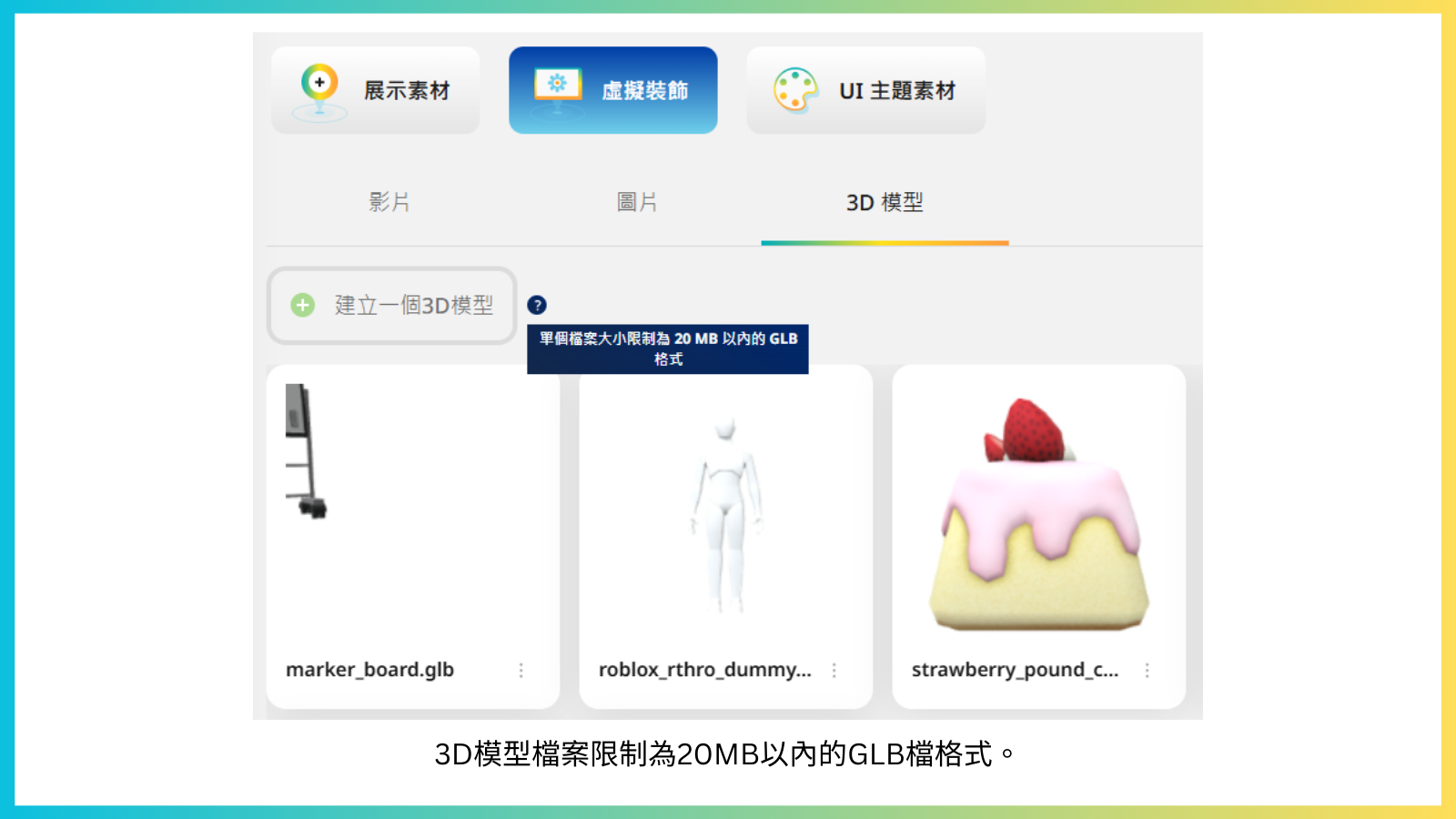
Please first check that your 3D model file is under 20MB and in GLB format. (We recommend keeping each model under 5MB for the best showroom experience.)
The layout of L’AiR SPACE showroom templates is fixed, but users can apply images as textures within the space, freely experimenting with adding more colors and designs. If you have ideas or suggestions for new showroom template designs, feel free to email us at info@seeulair.com .We value your feedback, and your ideal template might even become a reality in the future!
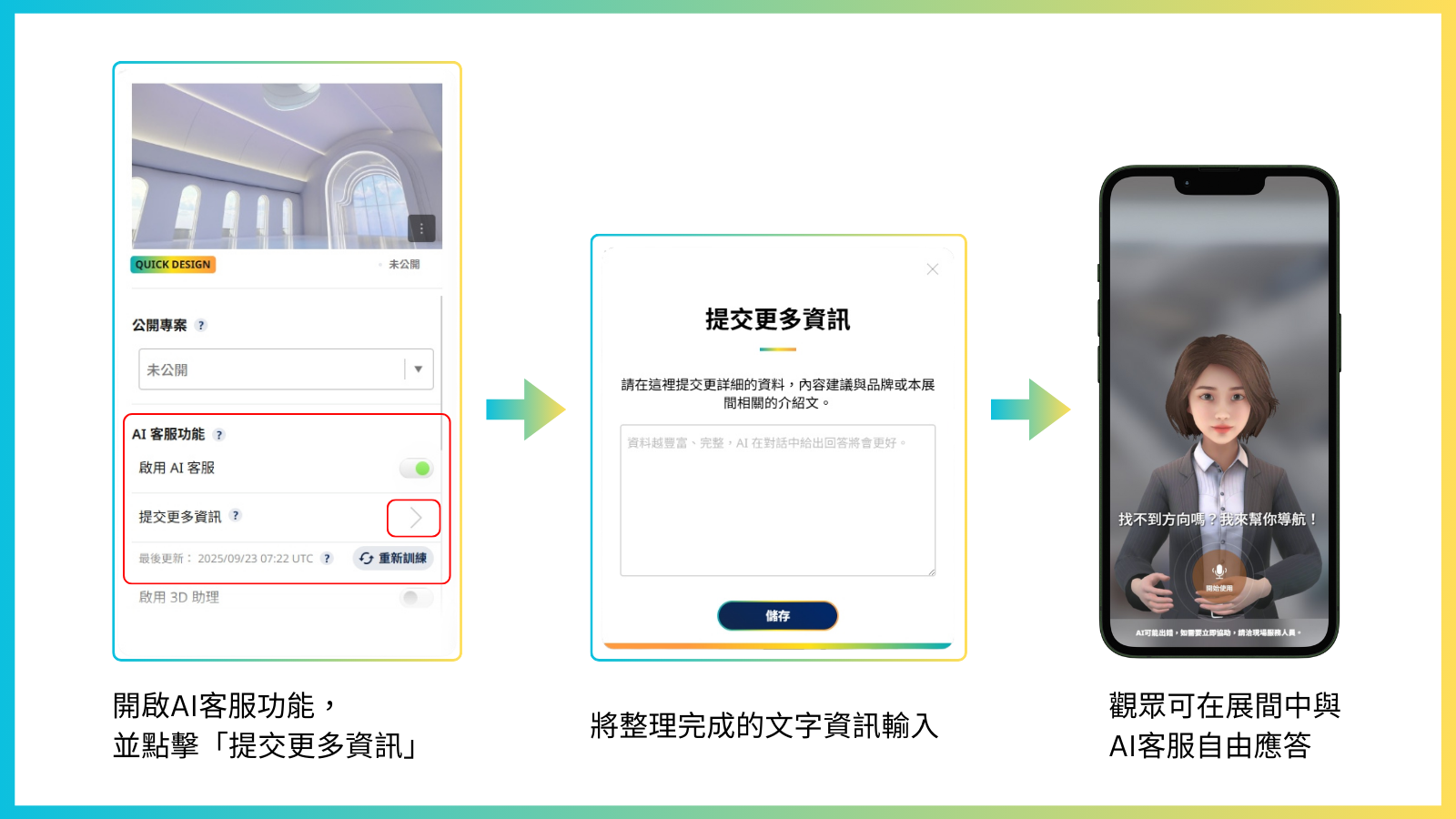
L’AiR SPACE features a built-in AI smart guide system, which can learn and remember information from detailed text inputs. When visitors enter the showroom, they can interact with the AI anytime through the chat window at the bottom right, quickly accessing information about the showroom and its exhibits—providing a smart customer service experience.
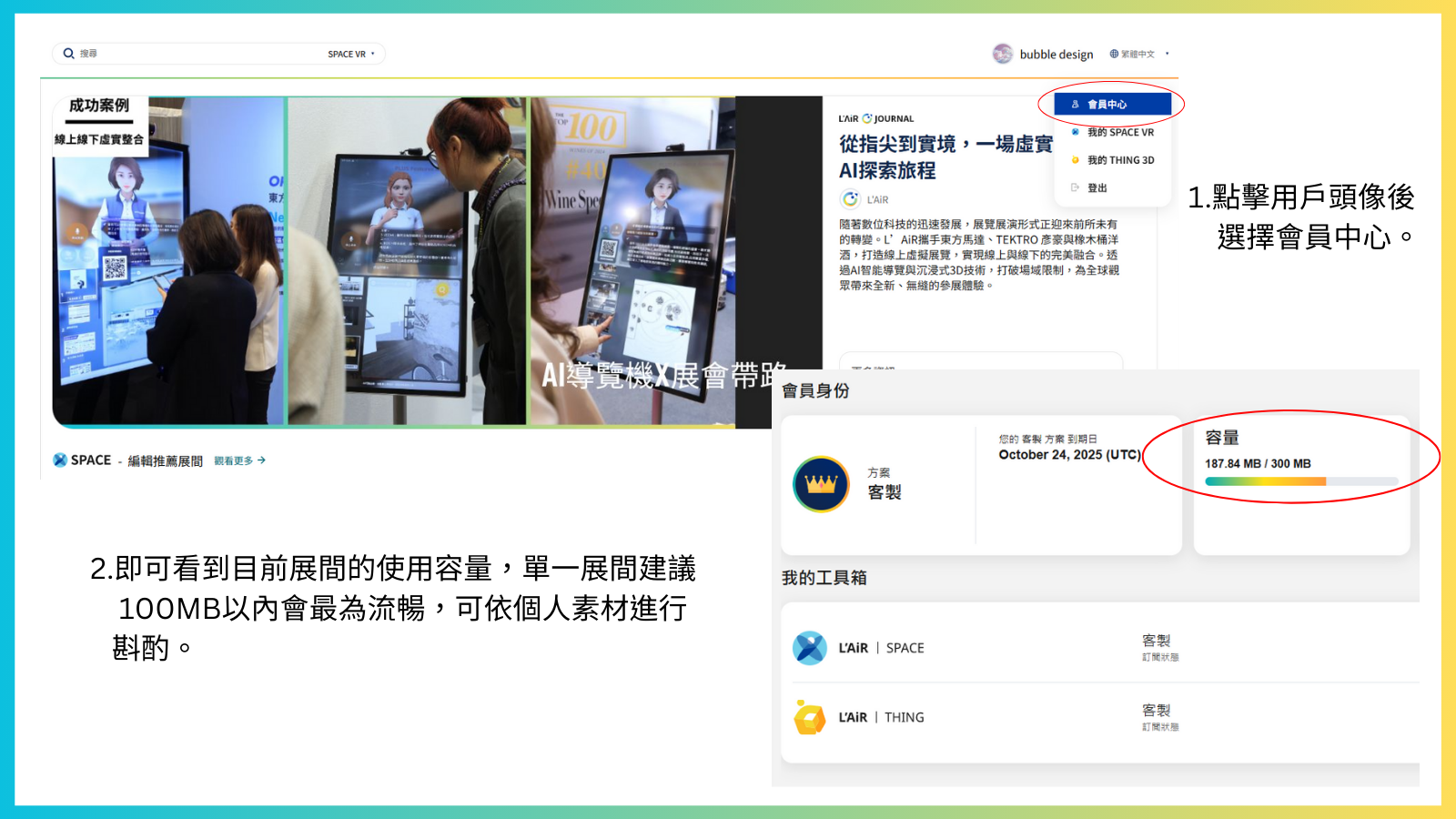
Since L’AiR SPACE is a 3D modeling platform, all showroom spaces are three-dimensional and require higher data throughput to operate smoothly.
You can click your user avatar to enter the Account and check your current showroom storage usage. The more storage you use, the more it may affect showroom performance. Try reducing the number of 3D models, images, or videos in your showroom. We recommend keeping a single showroom under 100MB for optimal performance, and also ensure your internet connection is stable.
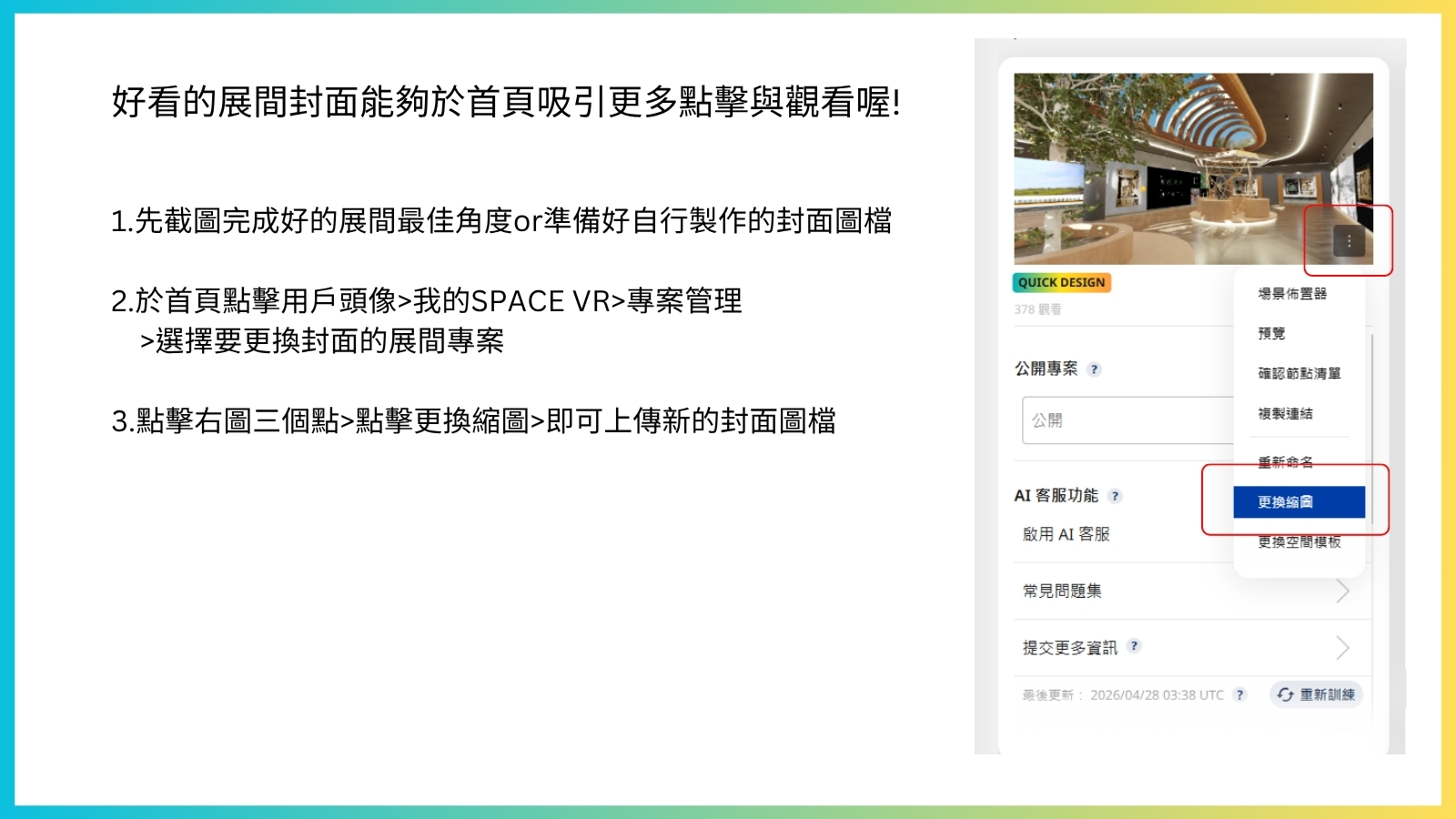
Changing the cover thumbnail of your completed booth to showcasing its best angle, or uploading a custom-made cover image, will attract more visitors to click and enter your booth on the homepage.
First, you can take a screenshot of your completed booth from the scene layout tool to show its best angle, or create your own cover image.
On the homepage, click your user avatar, then select "My SPACE VR" to enter the SPACE VR studio. Click "Projects" select the booth project for which you want to change the cover thumbnail. You'll see the current preset booth thumbnails in the upper left corner of the page. Click the three dots in the lower right corner of the thumbnail, select "Change Thumbnail," and you can then upload a new booth screenshot or your own custom cover image!
Now, give your carefully decorated booth a beautiful cover thumbnail!

 Top
Top global@kingone-design.com